Bundled Plugins
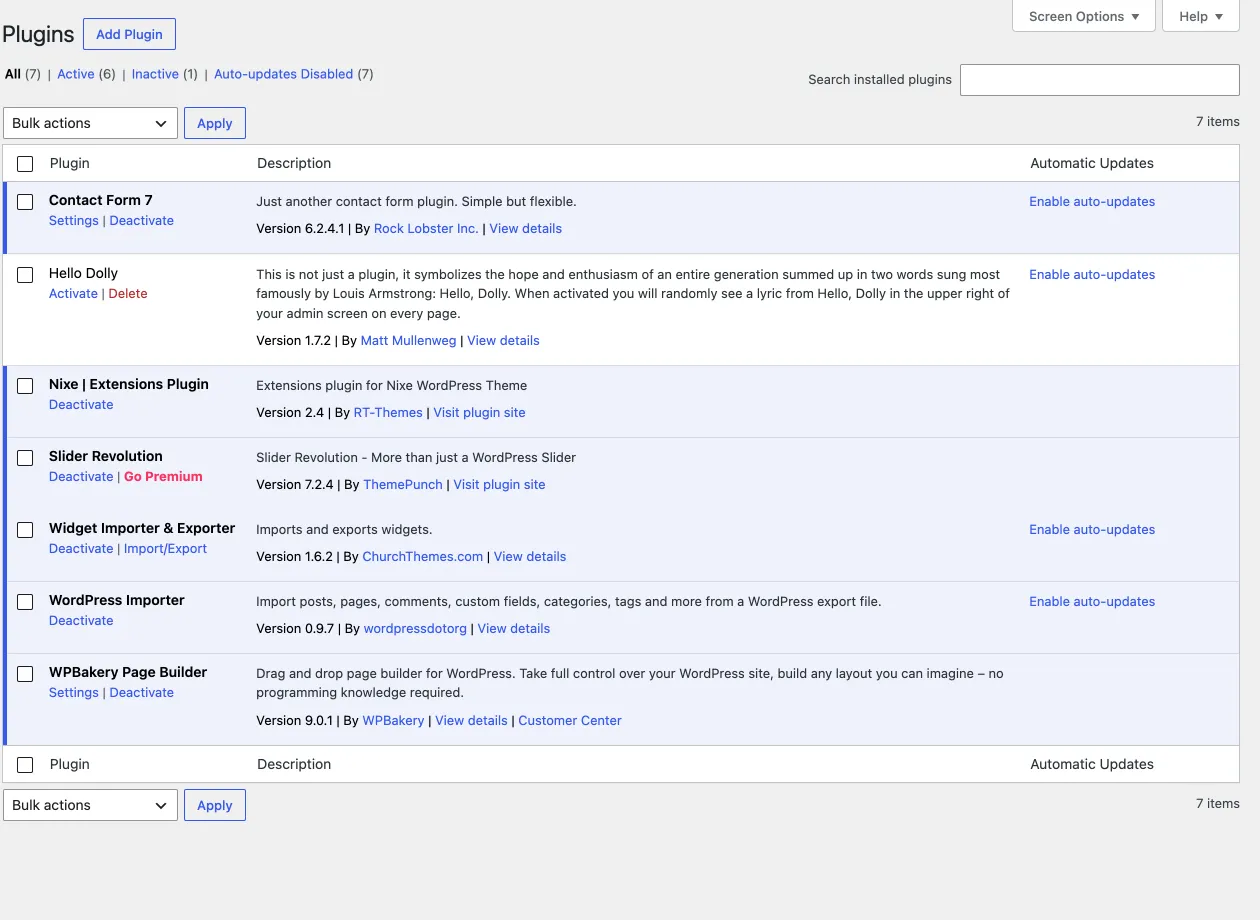
Plugins that ship with Nixe
Section titled “Plugins that ship with Nixe”Nixe comes with three plugins that add its page builder, its sliders and many of its own features. You install and update them on the Manage Plugins tab of the theme’s About page, which you open from Nixe › Plugins in the admin sidebar. Installing them there needs an activated RT-Themes licence key, which you enter in the RT-Themes License Key field of the same page. Use this page when you set up the theme for the first time and after every theme update.
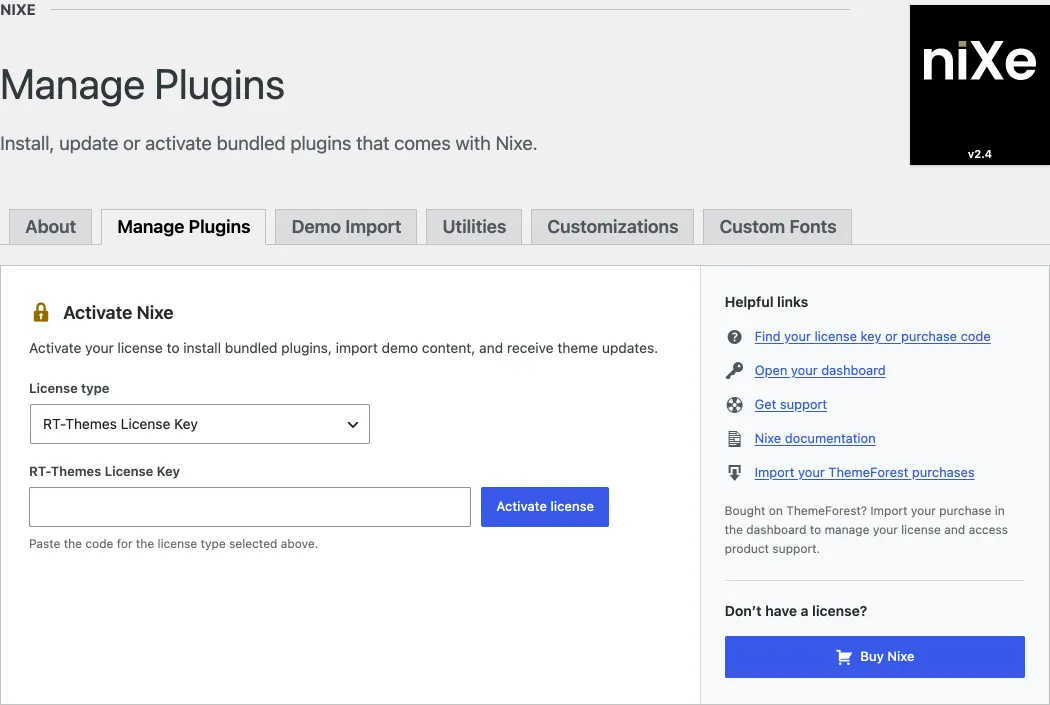
- Nixe Extensions (required): our own plugin, made for this theme only. It adds many of the theme’s features, such as the post types and the Nixe admin menu.
- WPBakery Page Builder: a third-party commercial plugin. We bought a special licence for it, so you do not need to buy your own.
- Slider Revolution: also a third-party commercial plugin, covered by the same kind of licence. You do not need to buy it separately either.
The Contact Form 7 plugin is not bundled. Nixe recommends it for its forms; install it for free from wordpress.org.
Updating bundled plugins
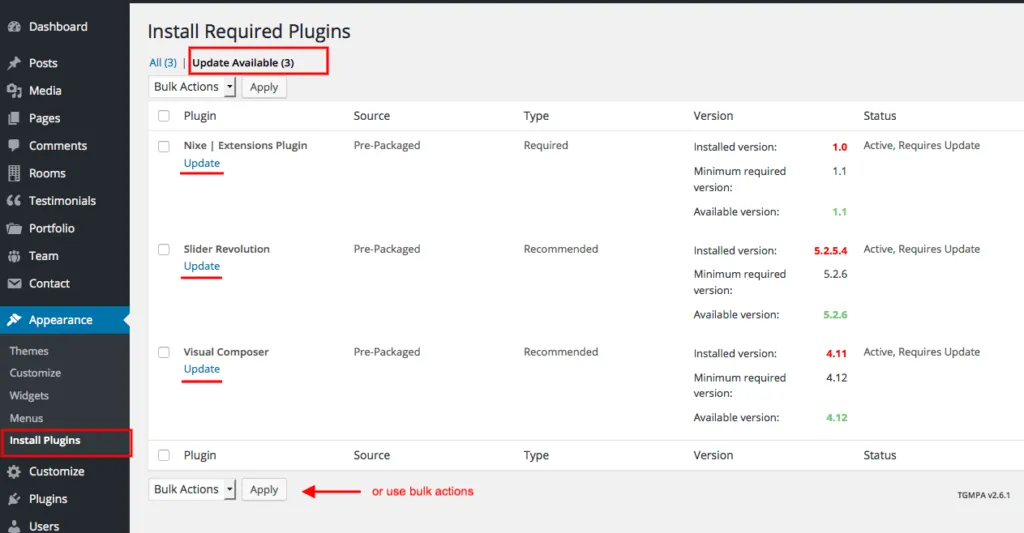
Section titled “Updating bundled plugins”You do not need separate licences to update these plugins. Always use the copies that ship with the theme, so you know they are compatible. Every new theme version includes the most recent versions of the plugins. After a theme update, open Nixe › Plugins and update them on the Manage Plugins tab. If you cannot reach that tab, use Appearance › Install Plugins instead. The full workflow is in Bundled plugins.

Manual update
Section titled “Manual update”To update a plugin by hand, take its ZIP file from the nixe/rt-framework/plugins/packages/ folder of the theme. Upload it in Plugins › Add New Plugin › Upload Plugin, or extract it and upload the folder by FTP. See the WordPress guide Manage plugins.