Design Options
About the design options
Section titled “About the design options”The settings in the Customizer apply to the whole site. RT-Theme 20 lets you override them for one page or post. Every page and post has a Design Options box on its edit screen, below the editor. The settings in it change that page or post only. Use them when one page needs a completely different look, for example another background colour or image.
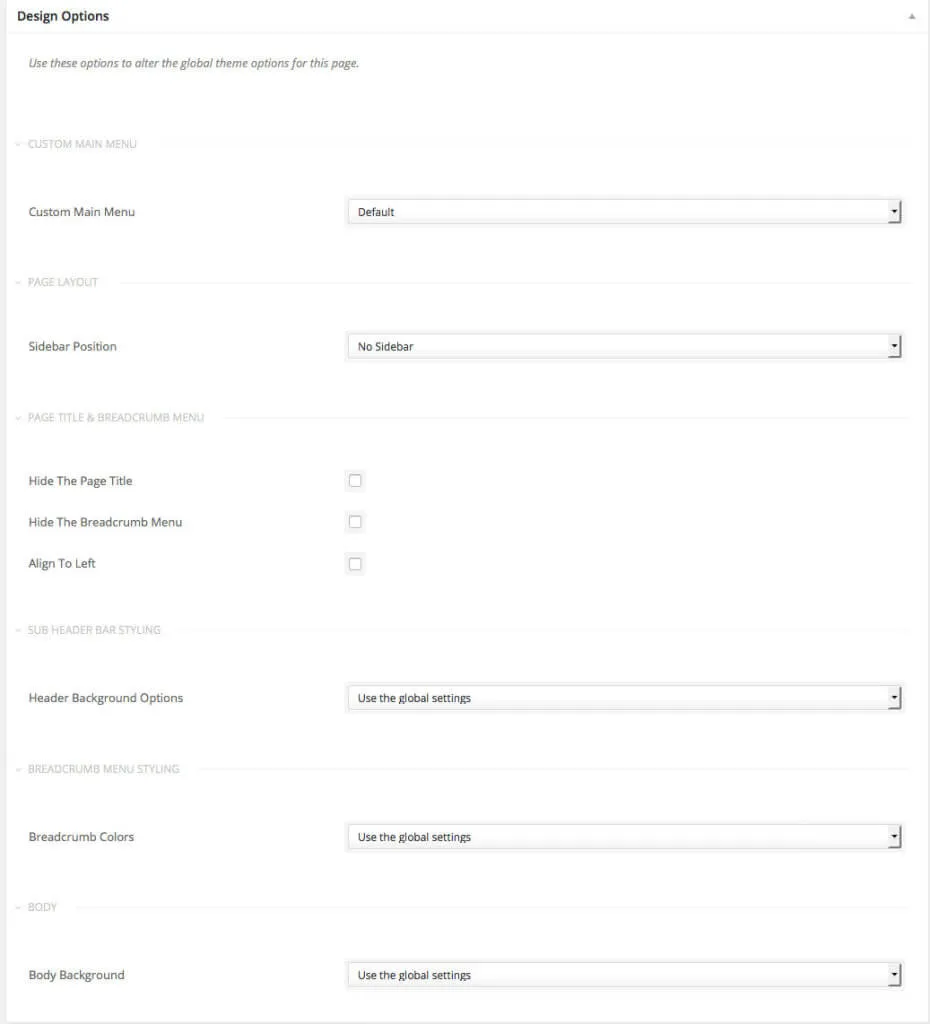
The screenshot shows the Design Options box. It holds:
- Custom Main Menu: show another menu on this page.
- Sidebar Position: the page layout, for example no sidebar.
- Hide The Page Title, Hide The Breadcrumb Menu and Align To Left: the page title and breadcrumb menu.
- Header Background Options: the sub header bar styling.
- Breadcrumb Colors: the breadcrumb menu styling.
- Body Background: the body background.
Options left at Use the global settings follow the Customizer.