Testimonial List / Post
Creating a testimonials page
Section titled “Creating a testimonials page”Testimonials are customer quotes that you create under Testimonials in your admin. A testimonial list shows them on a page, for example a “What people say about us” page. You can add the list to any page or post, in two ways.
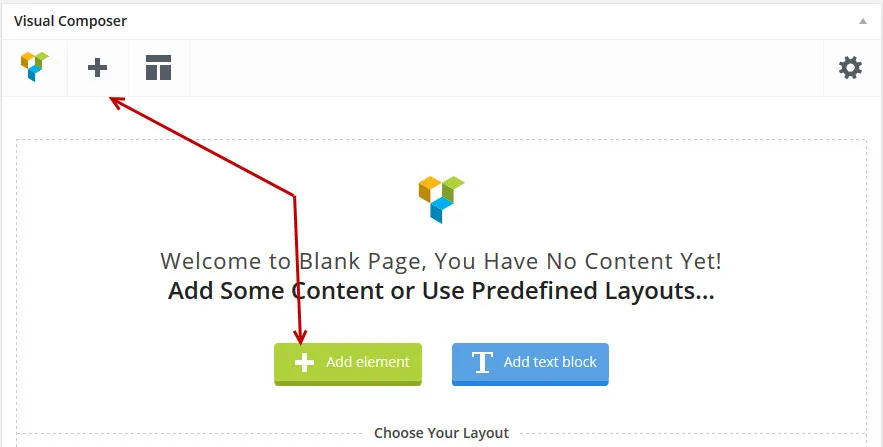
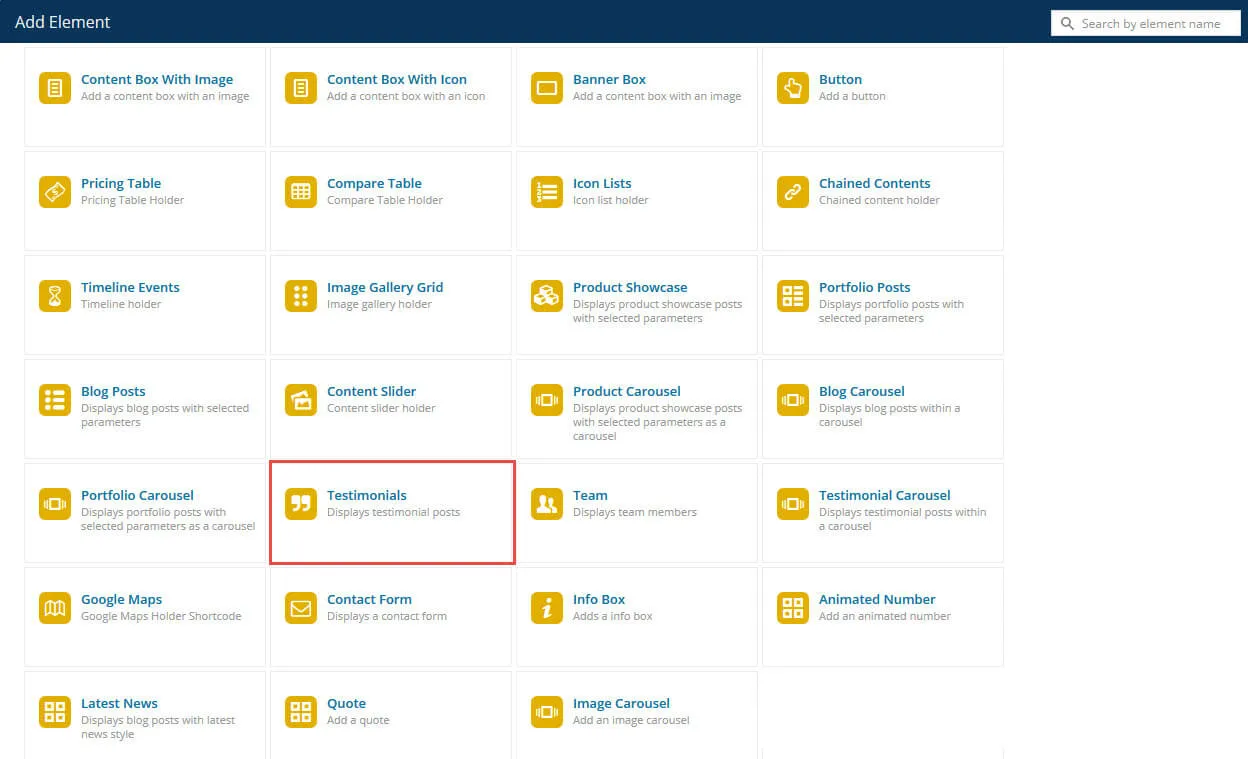
Adding a Testimonials element with WPBakery Page Builder
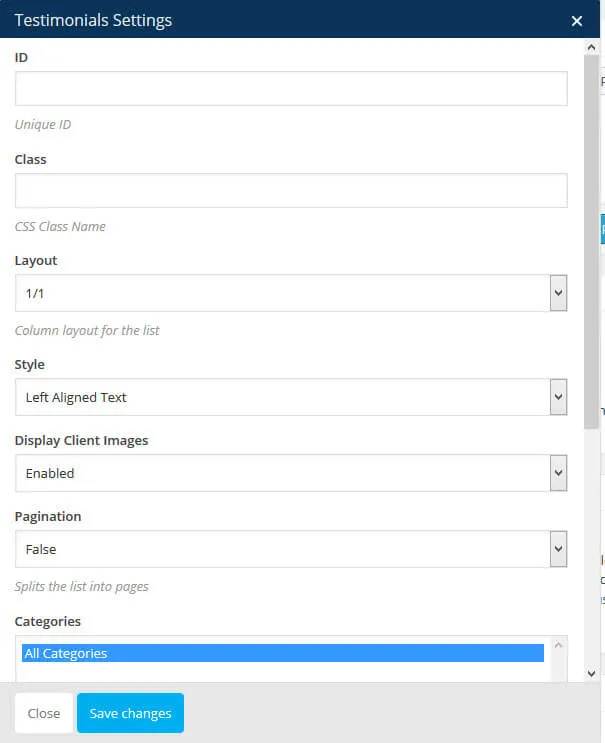
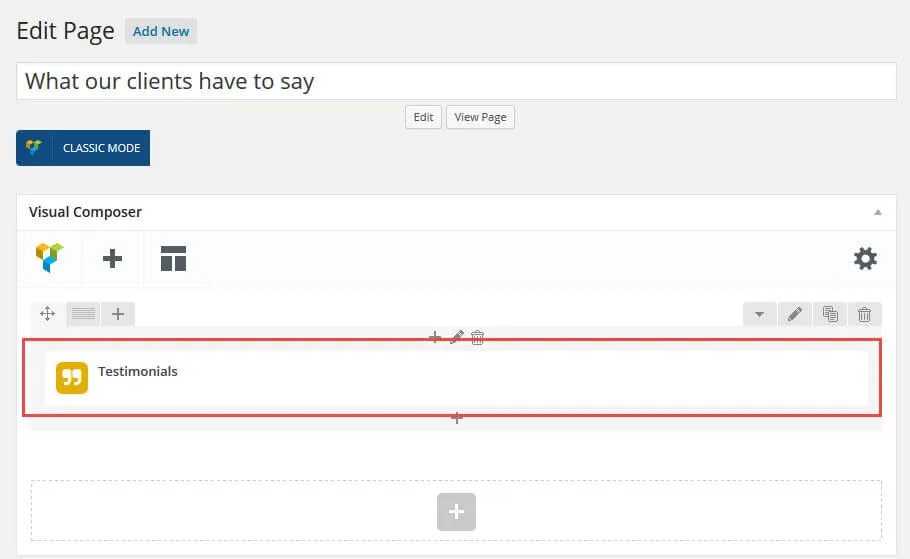
Section titled “Adding a Testimonials element with WPBakery Page Builder”In WPBakery Page Builder, click Add Element (the + sign) and add a Testimonials element.
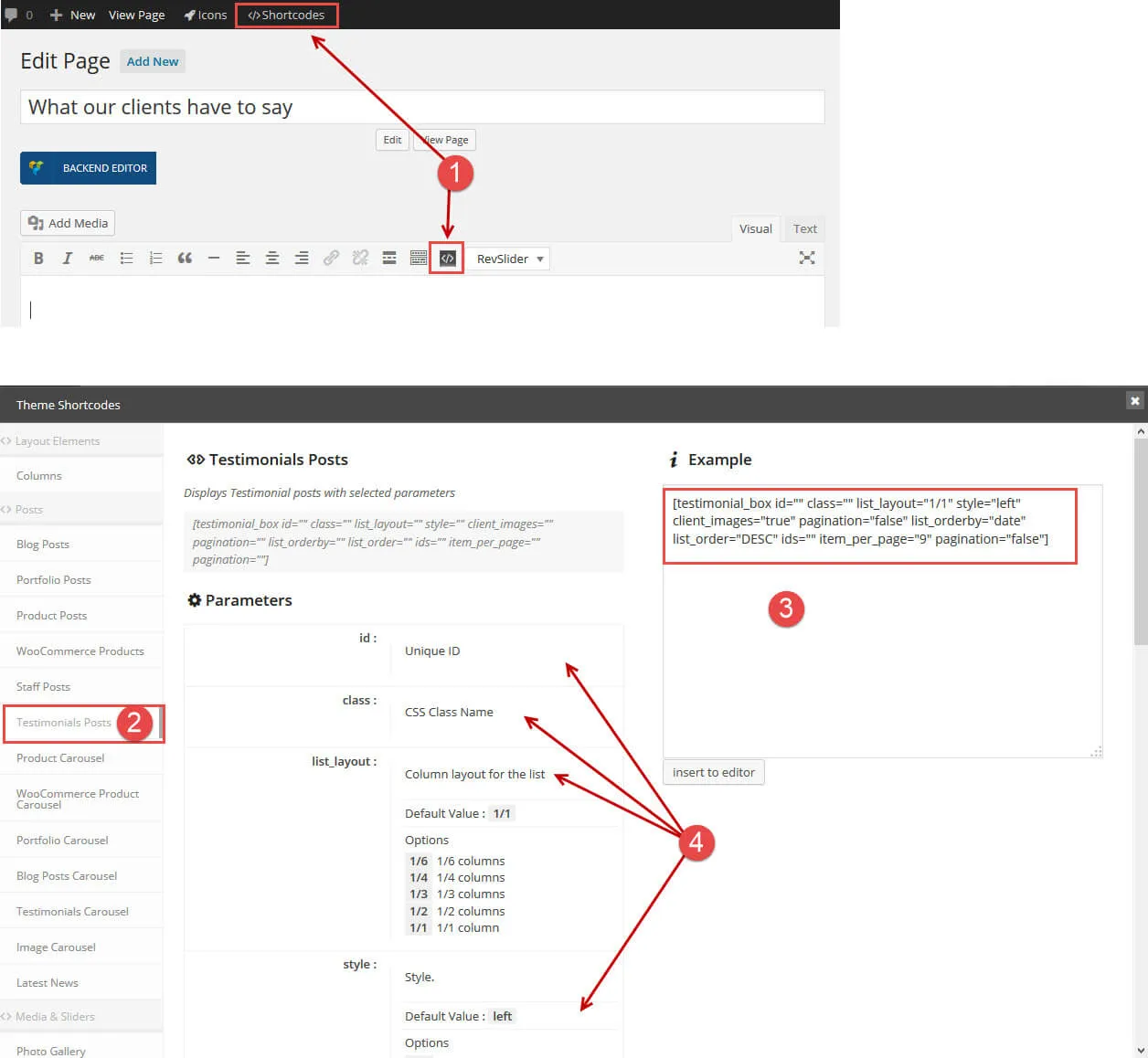
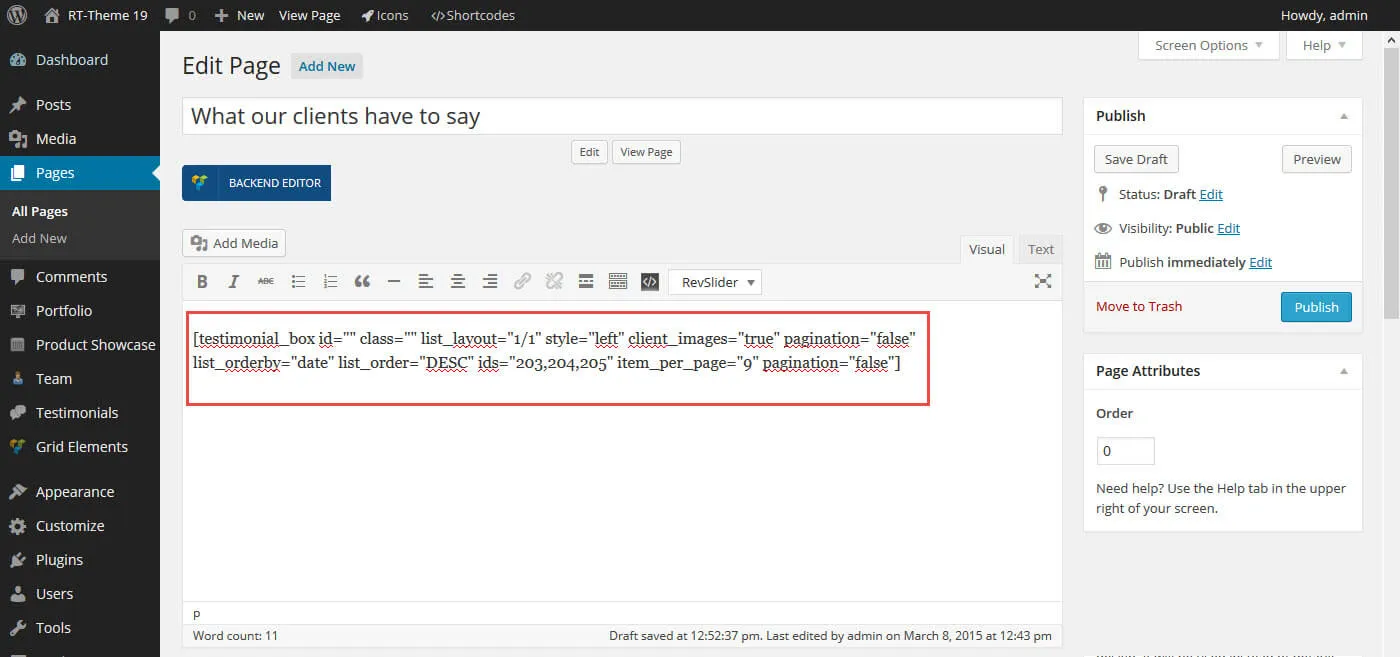
Adding testimonials with a shortcode
Section titled “Adding testimonials with a shortcode”Click the shortcode button in the admin bar and select the Testimonials shortcode. Adjust its parameters, then copy the shortcode into your page where the list should appear.