
Creating Testimonials (legacy)
Creating testimonials
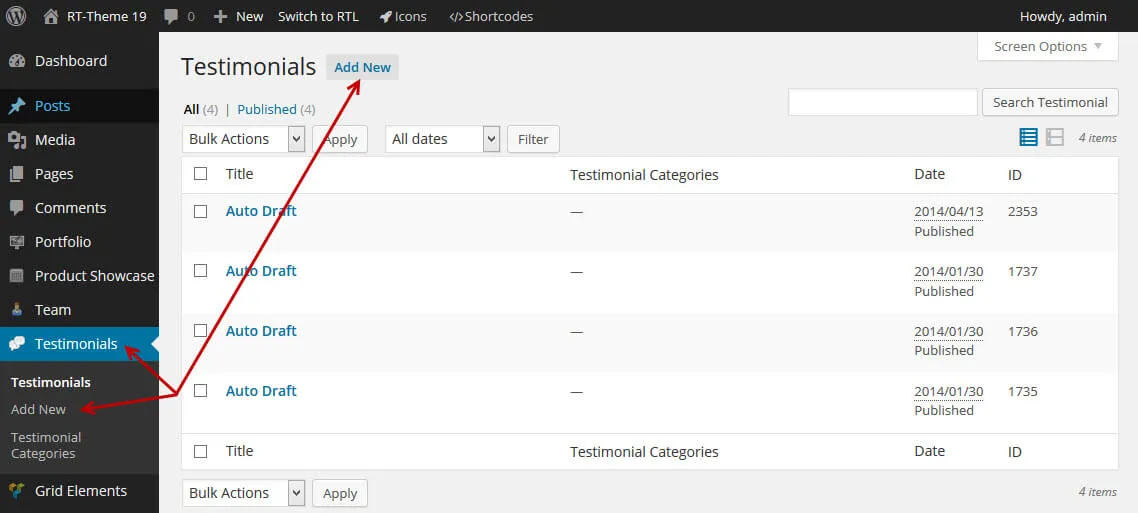
Section titled “Creating testimonials”Testimonials are short quotes from your customers. You create each one as a testimonial item under Testimonials in your admin. A testimonials page, such as a “What people say about us” page, then shows them with a shortcode or a WPBakery Page Builder element. How to add the list to a page is explained in Testimonial List / Post.
Things you should know
Section titled “Things you should know”- A testimonial cannot be previewed or opened as a single post.
- You can group testimonials into categories.
- You add testimonials to a page by their ID or category.
- The testimonial text accepts HTML (headings, links and divs), but we advise keeping the formatting simple.
- For each testimonial you can add:
- the name of the person who wrote it;
- the person’s job title;
- the address of the person’s website or social page;
- the text for that link.
- To add a photo of the person, open the Featured image panel and click Set featured image.