Contact Forms
Creating custom forms
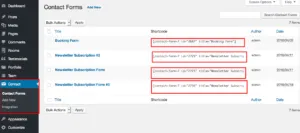
Section titled “Creating custom forms”Ava gives you two ways to put a form on your site. Use the theme’s own contact form for a simple “send us a message” form, or use the free Contact Form 7 plugin when you need fields of your own, such as a booking request or a newsletter signup. Contact Form 7 forms are managed under Contact in your admin once the plugin is active.
The built-in contact form works with a shortcode or a WPBakery Page Builder element. For a customized contact form or a newsletter signup form, use Contact Form 7. How to install it, build a form and set its mail settings is explained in Contact Form 7. The plugin’s own documentation is at contactform7.com/docs.
Sample booking and newsletter forms
Section titled “Sample booking and newsletter forms”- Install the Contact Form 7 plugin from wordpress.org.
- Import the sample forms with Tools › Import › WordPress. You find them in the
Dummy Contents/Formsfolder of the All files and documentation package, which you download from your ThemeForest Downloads page. - Edit the forms and update their mail settings, such as From, To and the sender name.
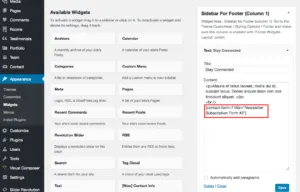
- Paste the shortcode of a newsletter form into a text widget to show it in a widget area.