Side Panel
Setting up the side panel
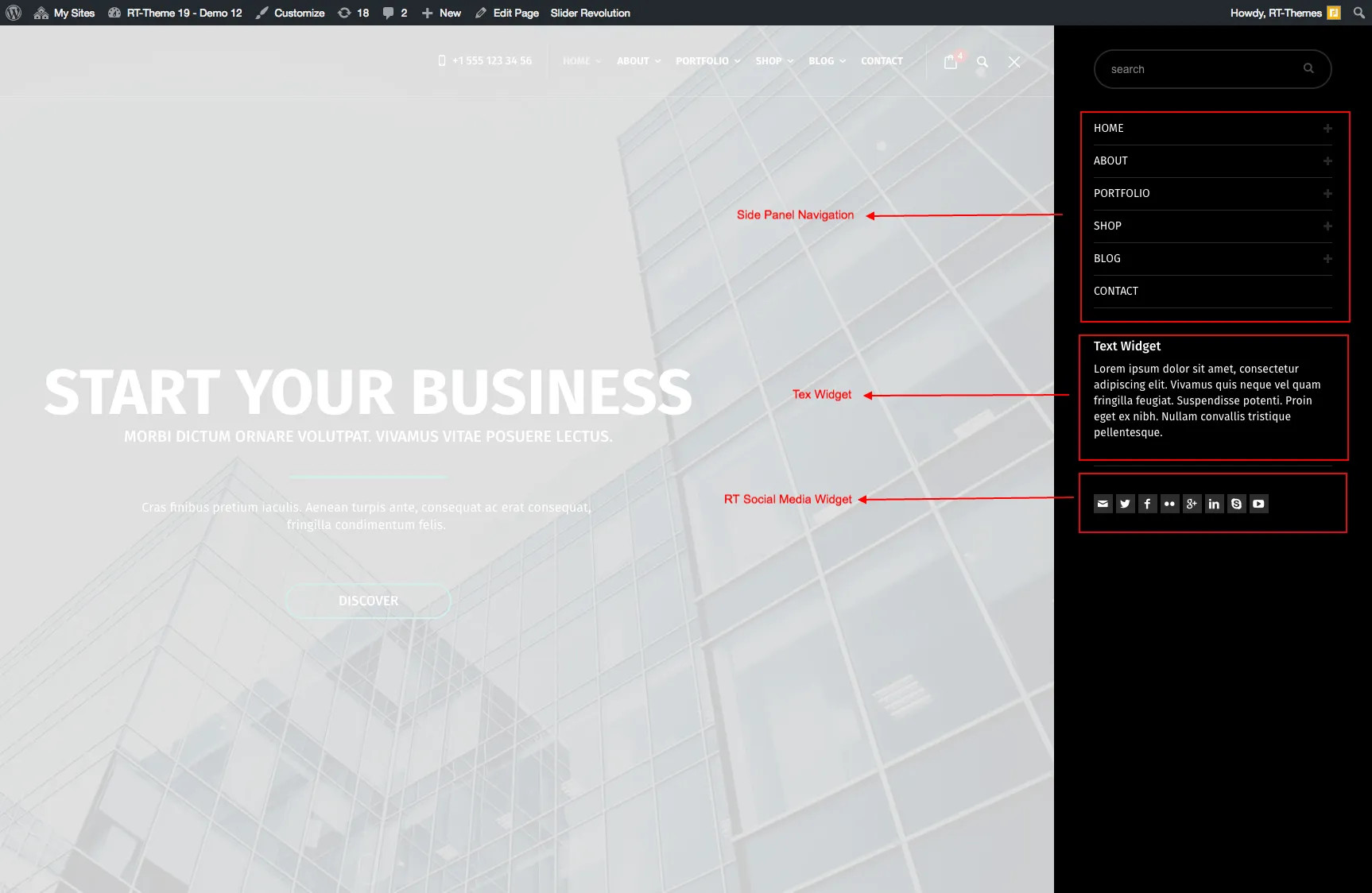
Section titled “Setting up the side panel”The side panel is a dark panel that slides in from the right side of the screen when a visitor clicks the menu icon at the end of the header. It holds its own menu and a set of widgets, so it is a good place for secondary links, a short text or your social icons. You turn it on in the Customizer and fill it from Appearance › Menus and the widgets screen.
The side panel is available only with header Layout 3 and Layout 4.
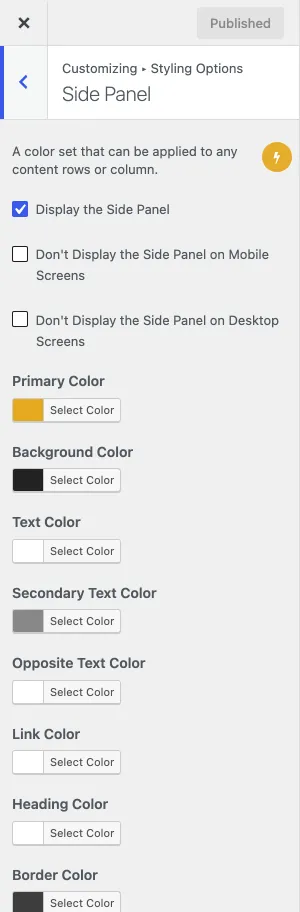
- Go to Appearance › Customize › Styling Options › Side Panel and select Display the Side Panel. The same section can hide the panel on mobile or on desktop screens, and has the panel’s colors.
- Go to Appearance › Menus and assign a menu to the Side Panel Navigation location. This is the menu inside the panel.
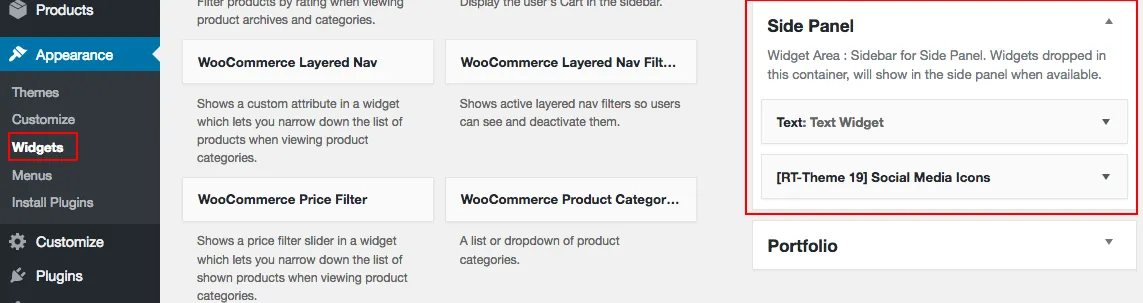
- Go to Appearance › Widgets and add widgets to the Side Panel widget area.