Top Bar
Setting up the top bar
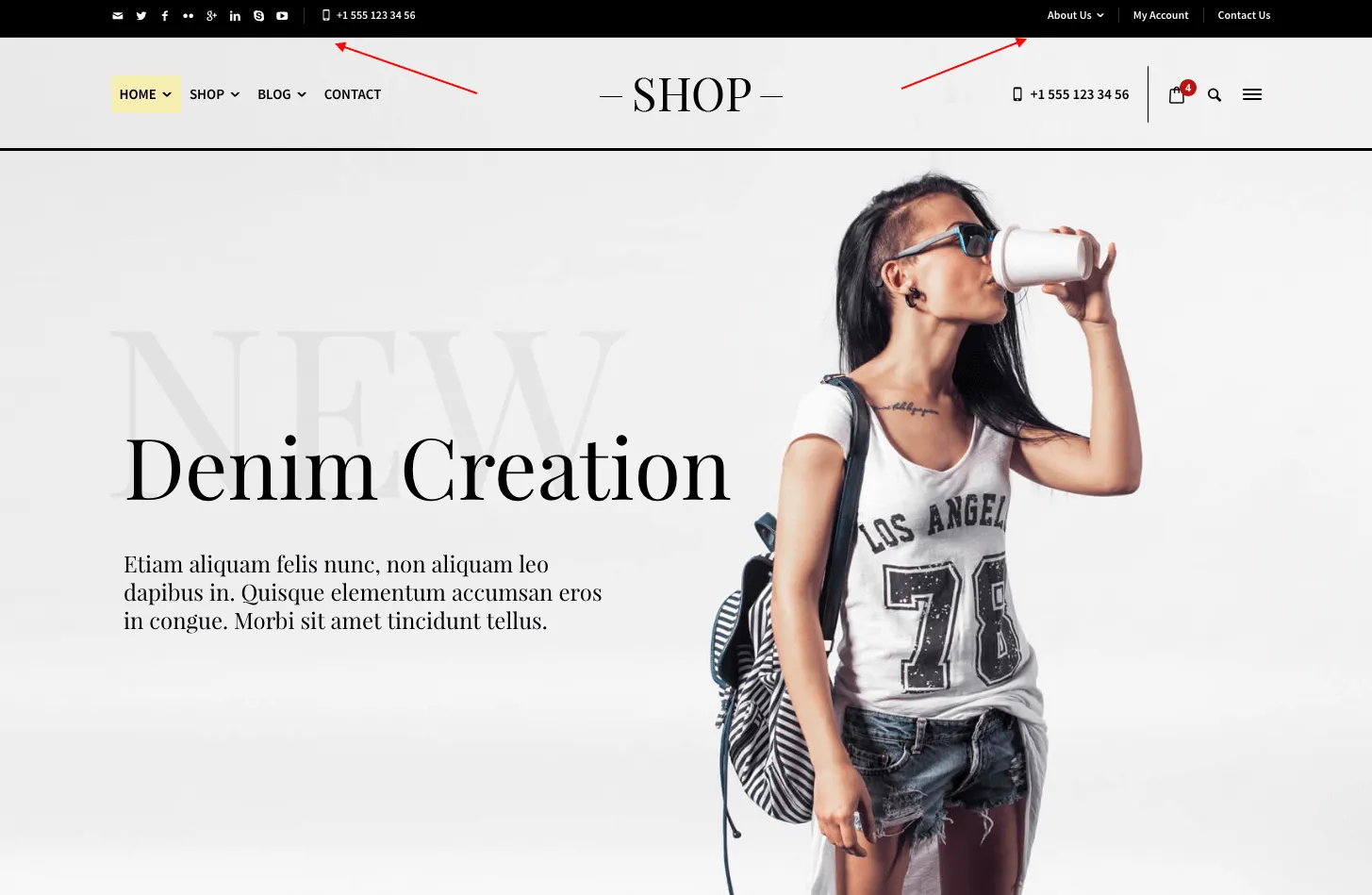
Section titled “Setting up the top bar”The top bar is a thin strip above the header for social icons, a phone number or a few short links. It has two widget areas, Top Bar (Left) and Top Bar (Right), and is hidden on small screens. It is available only with header Layout 3 and Layout 4.
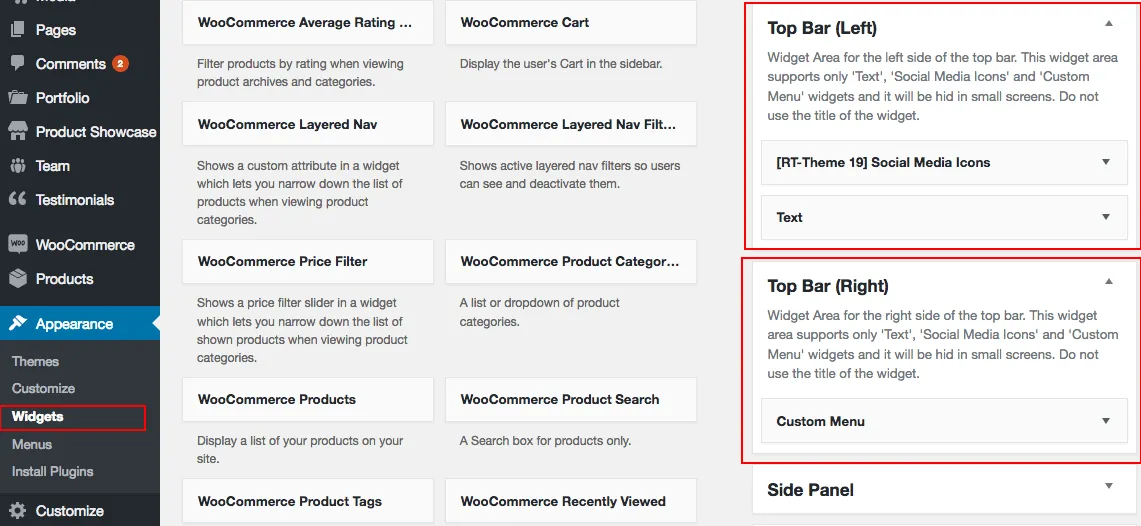
- Go to Appearance › Widgets and add widgets to the top bar widget areas.
- The top bar appears as soon as one of these areas holds a widget.
- Use only the Custom Menu, Text and RT-Theme 19 Social Media Icons widgets, and leave their titles empty.
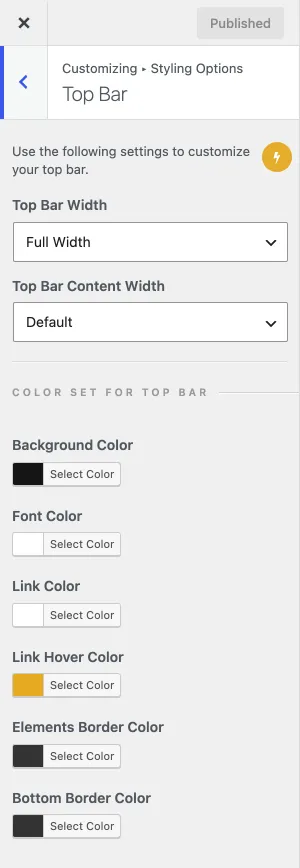
- Set the width and the colors under Appearance › Customize › Styling Options › Top Bar.