
Elementor
What Elementor does in RT-Theme 18
Section titled “What Elementor does in RT-Theme 18”Elementor is the page builder of RT-Theme 18. It is a front-end builder that lets you build complex layouts without writing code. Elementor is a required plugin. You install it from RT-Theme 18 › Plugins, together with the RT-Theme 18 widgets and the WPBits addons.
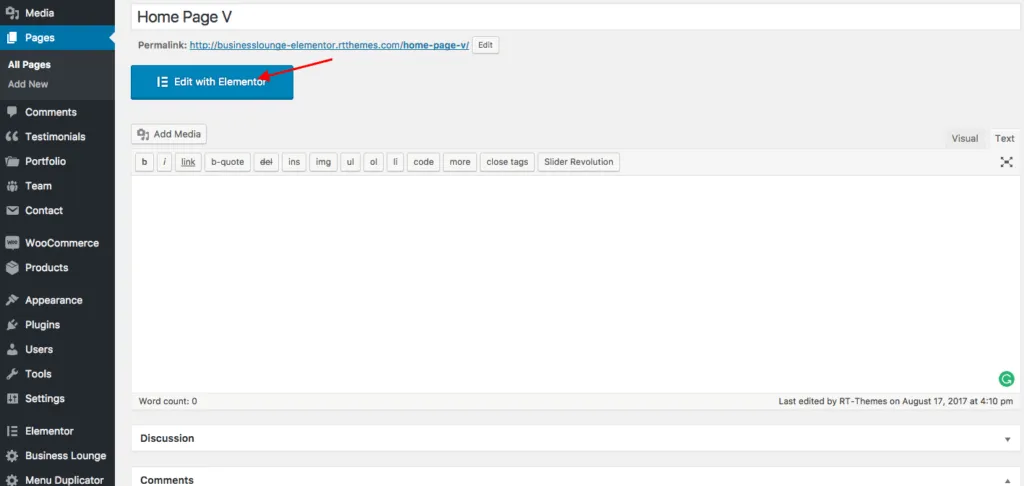
To start, edit a page or post and click Edit with Elementor at the top of the screen.

Using Elementor with RT-Theme 18
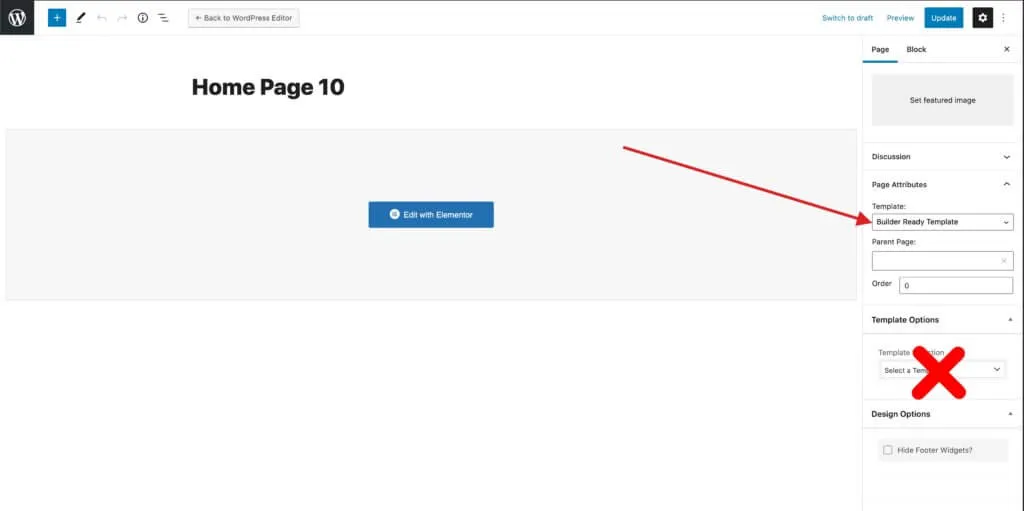
Section titled “Using Elementor with RT-Theme 18”To build a page or post with Elementor, choose one of the theme’s builder-ready templates under Page Attributes. Make sure no template is selected in the Template Options box. Those templates belong to the RT-Theme 18 Template Builder, and the two conflict with each other.
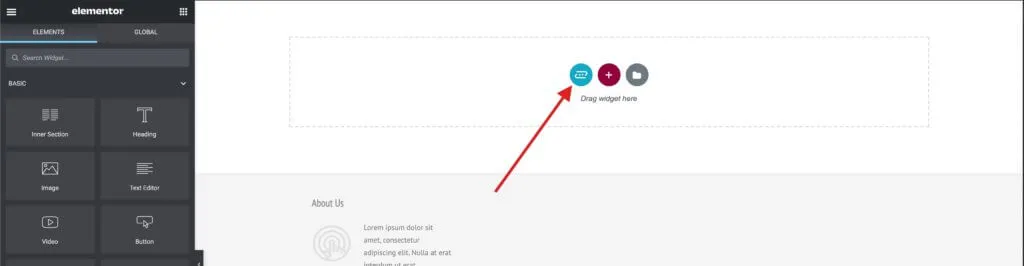
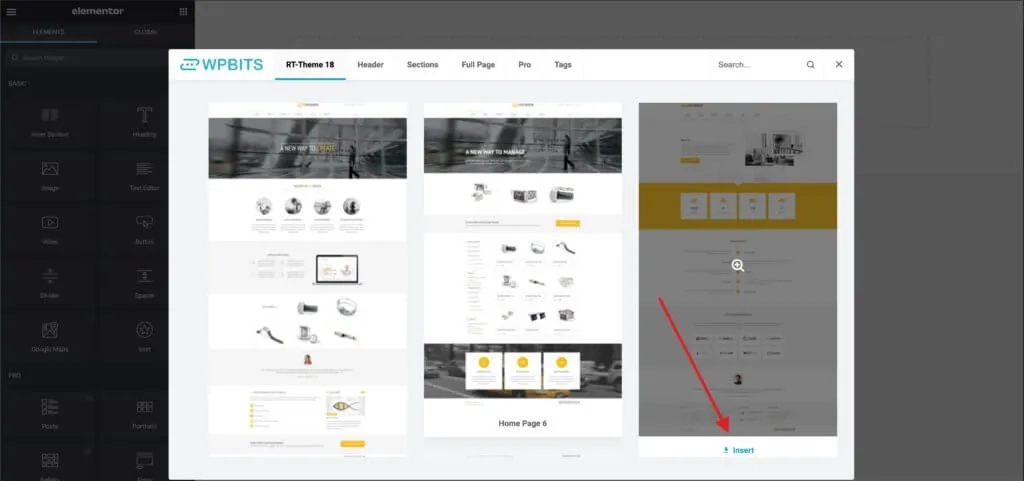
To add one of the theme’s pre-built templates, use the WPBits Template Library.
Elementor documentation
Section titled “Elementor documentation”Read the Elementor documentation at elementor.com/help. These two videos give a quick introduction: