
Google Maps
Google Maps API key
Section titled “Google Maps API key”Google only serves the theme’s maps, such as a map on your contact page, with a valid API key. Create the key in your Google account and paste it into the theme:
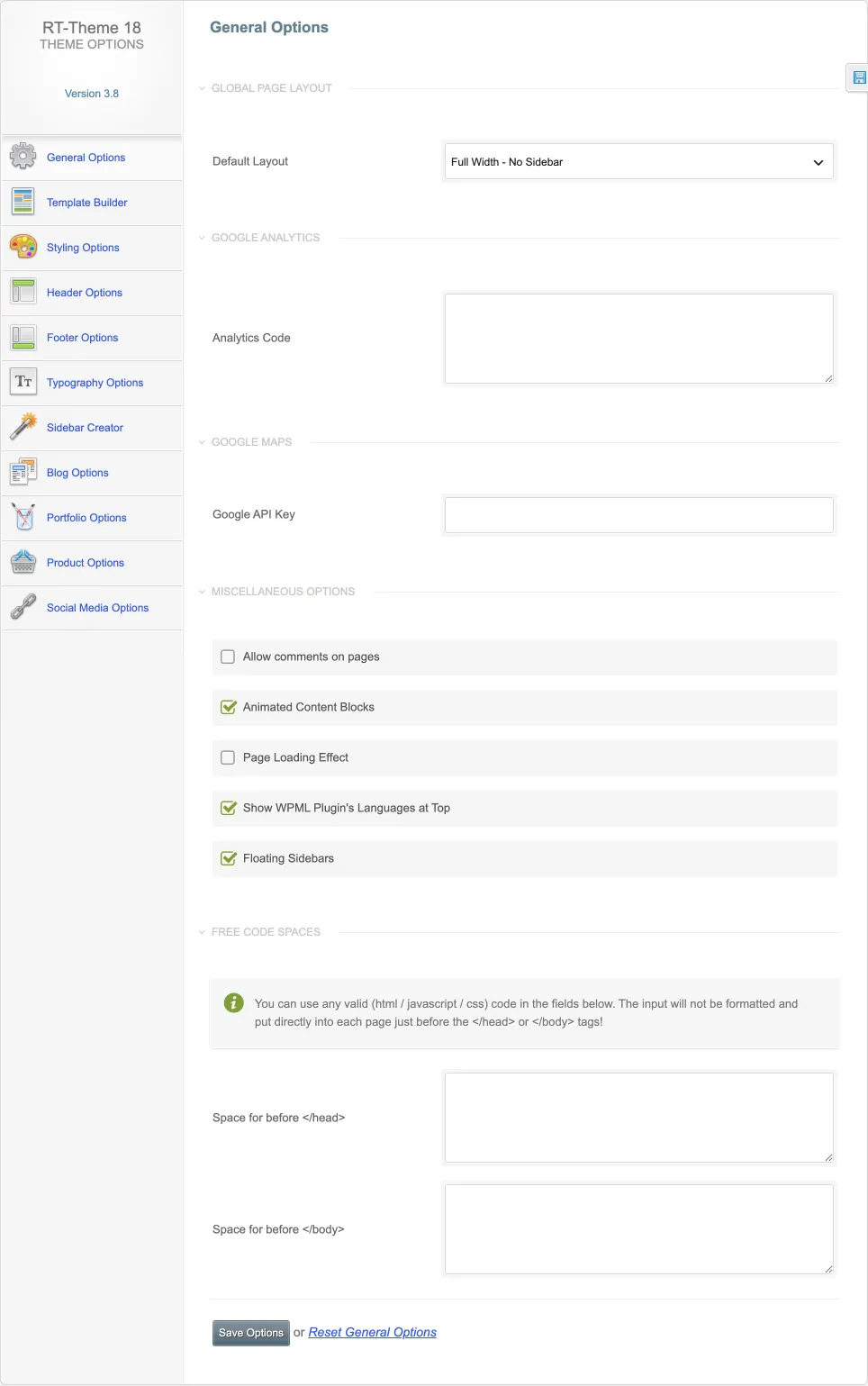
- Go to RT-Theme 18 › General Options and open the Google Maps section.
- Paste your key into the Google API Key field.
- Click Save Options and reload a page that contains a map.
To show a single location without a key, you can embed a map instead. See Embedding a Google map.
How to generate a Google API key
Section titled “How to generate a Google API key”You create the key in the Google Cloud console. The current steps are in Get a Google Maps API key. In short:
- Create a Google Cloud project and link a billing account to it.
- Enable the Maps JavaScript API.
- Create an API key and restrict it to your site’s addresses.
- Paste the key into the Google API Key field above and click Save Options.