
Miscellaneous
This page covers two topics: the social media icons of the theme, and how to include custom fields in the search results.
Social icons
Section titled “Social icons”Adding social media links to your site
Section titled “Adding social media links to your site”Add your social media links in RT-Theme 18 › Social Media Options. The theme has about 39 icons. For each icon you can set:
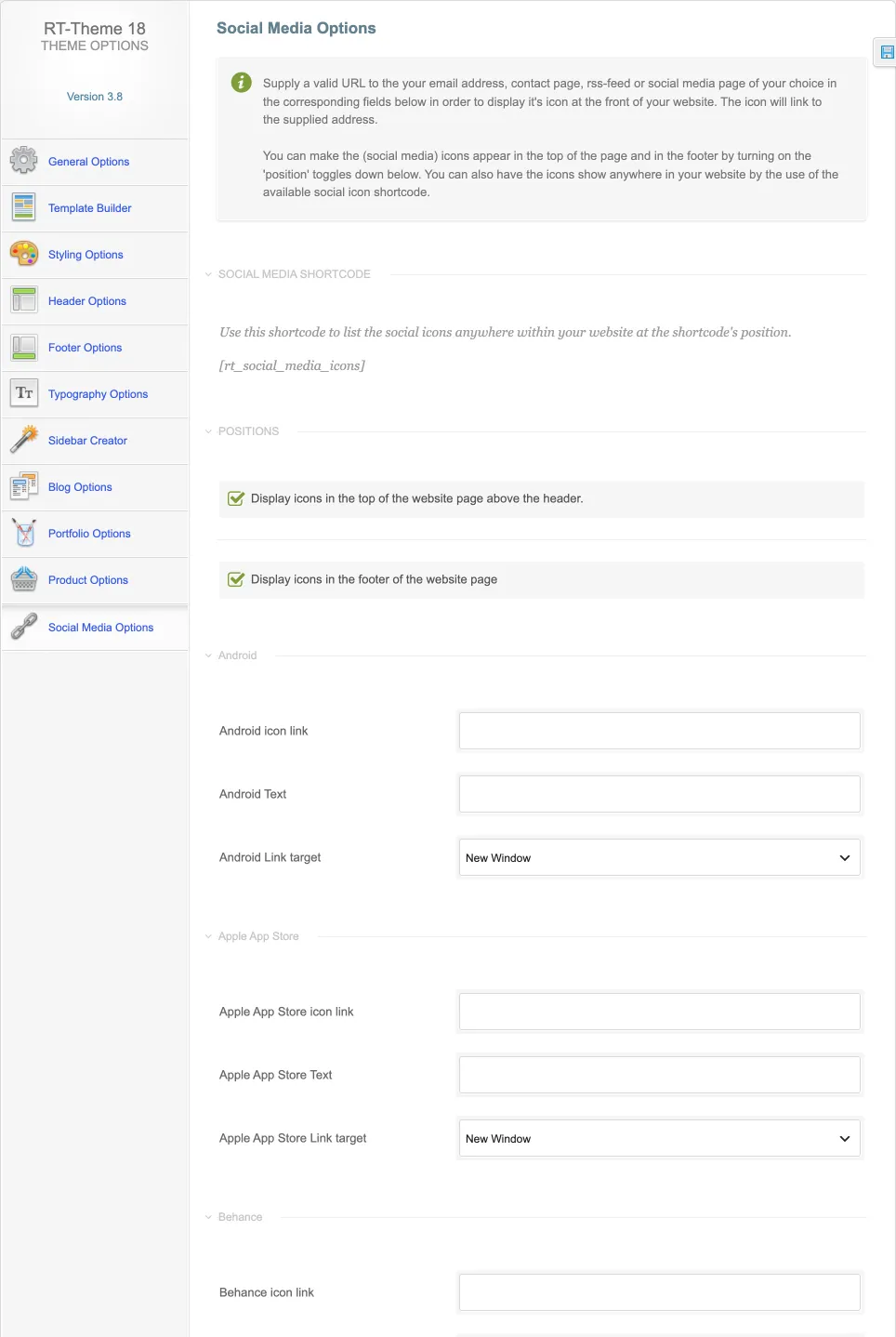
- Text: the text that appears when a visitor hovers over the icon.
- Link: the address the icon opens when a visitor clicks it.
- Link target: whether the link opens in the same tab or in a new tab.
To show the icons at the top of the page and in the footer, turn on the position toggles in RT-Theme 18 › Social Media Options. To show them anywhere else, insert the social icons shortcode into the content of a page or post. The shortcode generator for it is in the Classic Editor.
Custom fields in search results
Section titled “Custom fields in search results”By default, WordPress does not search custom fields. If you enter text in the custom fields of a custom post type, a site search will not find it. To include custom fields in the search results, use a plugin from WordPress.org, for example:
Check that the plugin you choose is still maintained and tested with your WordPress version.