
Home Page
Select a home page
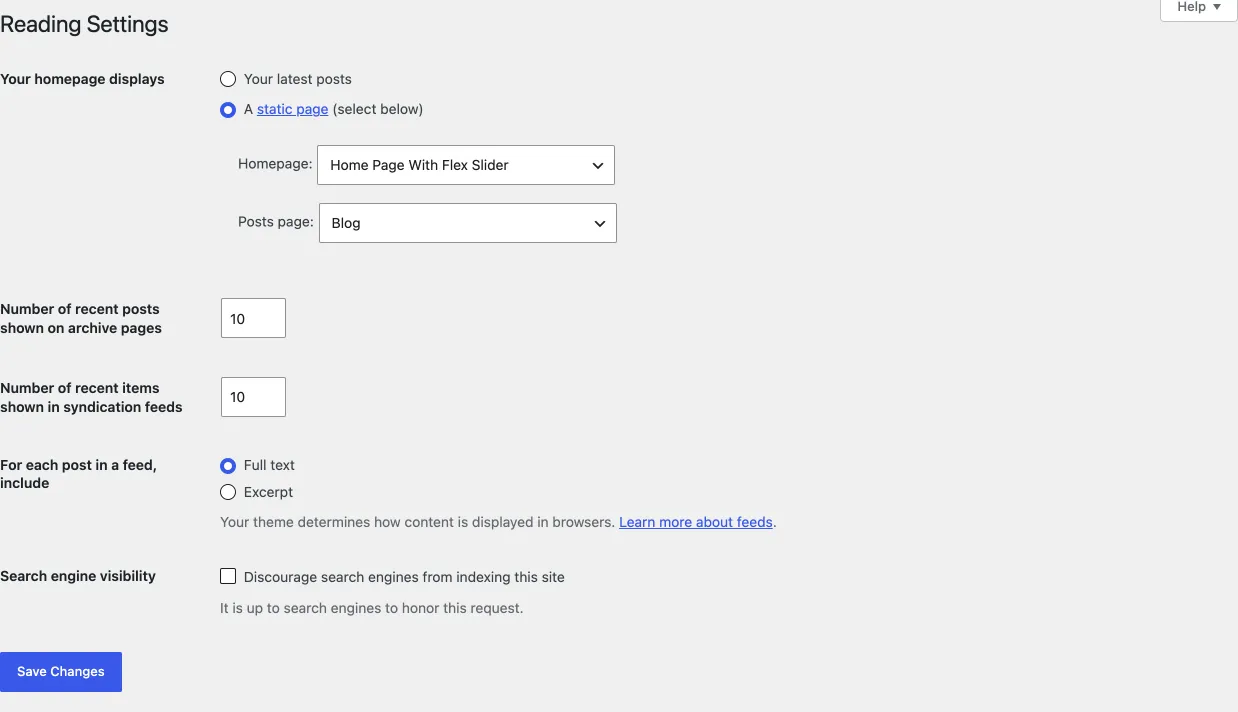
Section titled “Select a home page”By default, WordPress shows your latest blog posts on the home page. To open your site on a page you designed instead, set a static front page. You do this once, after you create the page, in Settings › Reading (or in the Customizer’s Homepage Settings).
- Go to Settings › Reading.
- Under Your homepage displays, choose A static page.
- Under Homepage, choose the page visitors land on when they open your site.
- Under Posts page, choose the page that lists your blog posts. This setting is optional.
- Click Save Changes.
The shared guide Homepage and blog explains these settings in more detail.