Portfolio
Creating a portfolio listing page
Section titled “Creating a portfolio listing page”Portfolio items are a post type of RT-Theme 18, grouped in Portfolio Categories. A portfolio listing page shows them on your site. Any page can hold a portfolio list, and you can create as many as you want, each with its own settings.
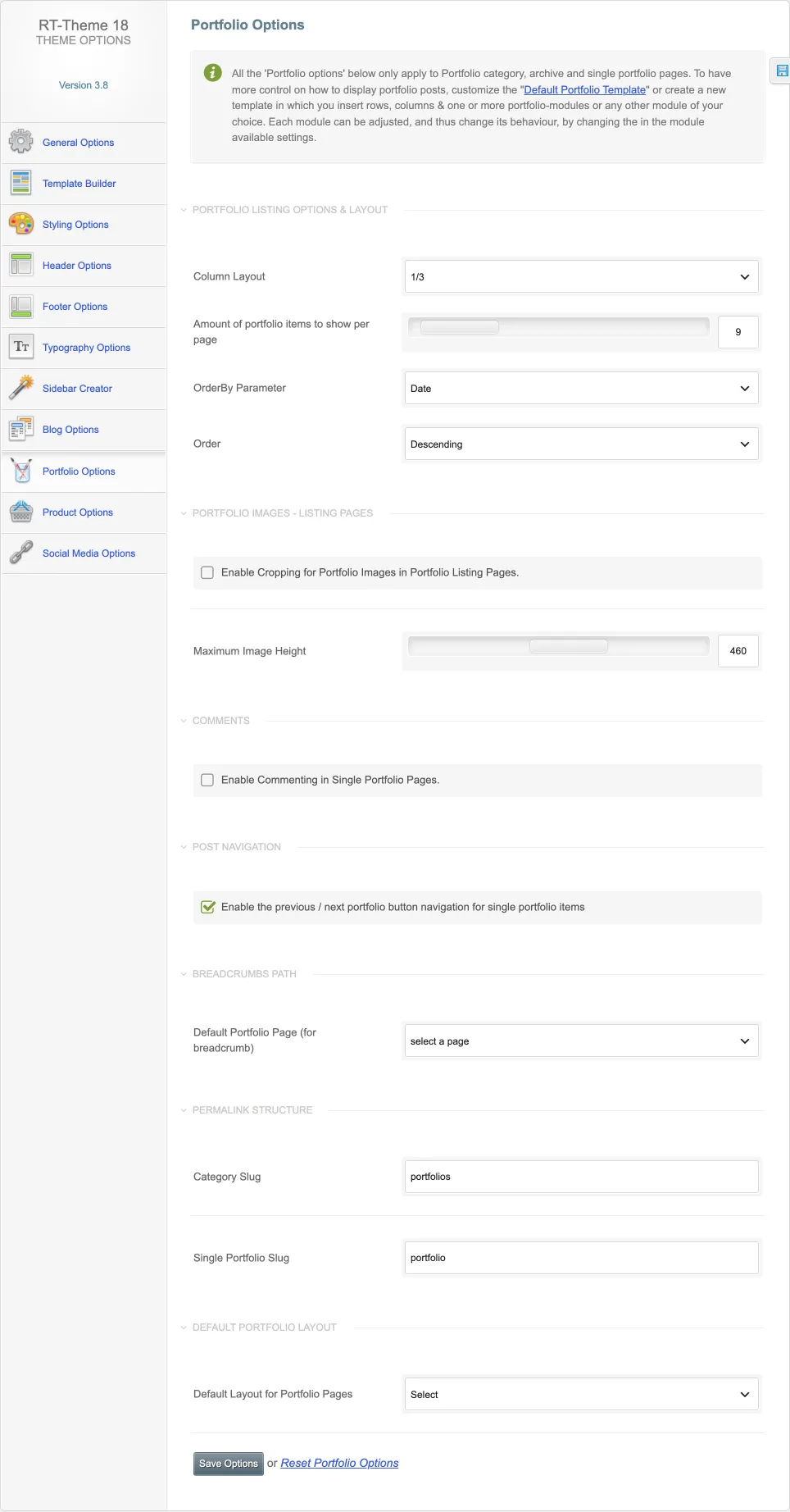
The defaults for portfolio categories, archives and single portfolio pages are in RT-Theme 18 › Portfolio Options: the column layout, the number of items per page and their order, image cropping and maximum height, comments, the previous and next navigation, the breadcrumb page, the category and single portfolio slugs and the default layout.
With Elementor
Section titled “With Elementor”-
Create a new page or edit an existing one.
-
Click Edit with Elementor.

-
Find the Portfolio List element and add it to the page.
-
Adjust the element settings and save the page.
With a shortcode
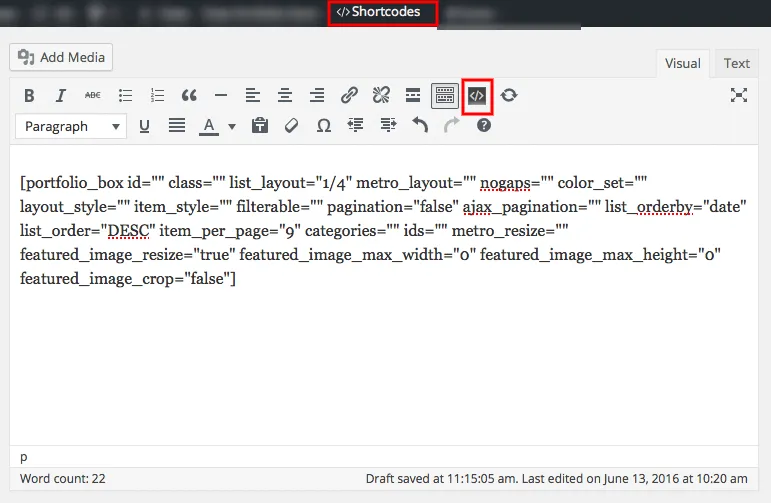
Section titled “With a shortcode”You can also build the list without a page builder. Create a page and add the theme’s Portfolio Posts shortcode. See Shortcodes for details.