
Home Page
Choose your homepage
Section titled “Choose your homepage”By default, WordPress shows your latest blog posts on the home page. To show one of your BusinessLounge pages instead, for example a page you built with Elementor or imported with the demo content, set it as a static homepage. You do this once, in the WordPress reading settings.
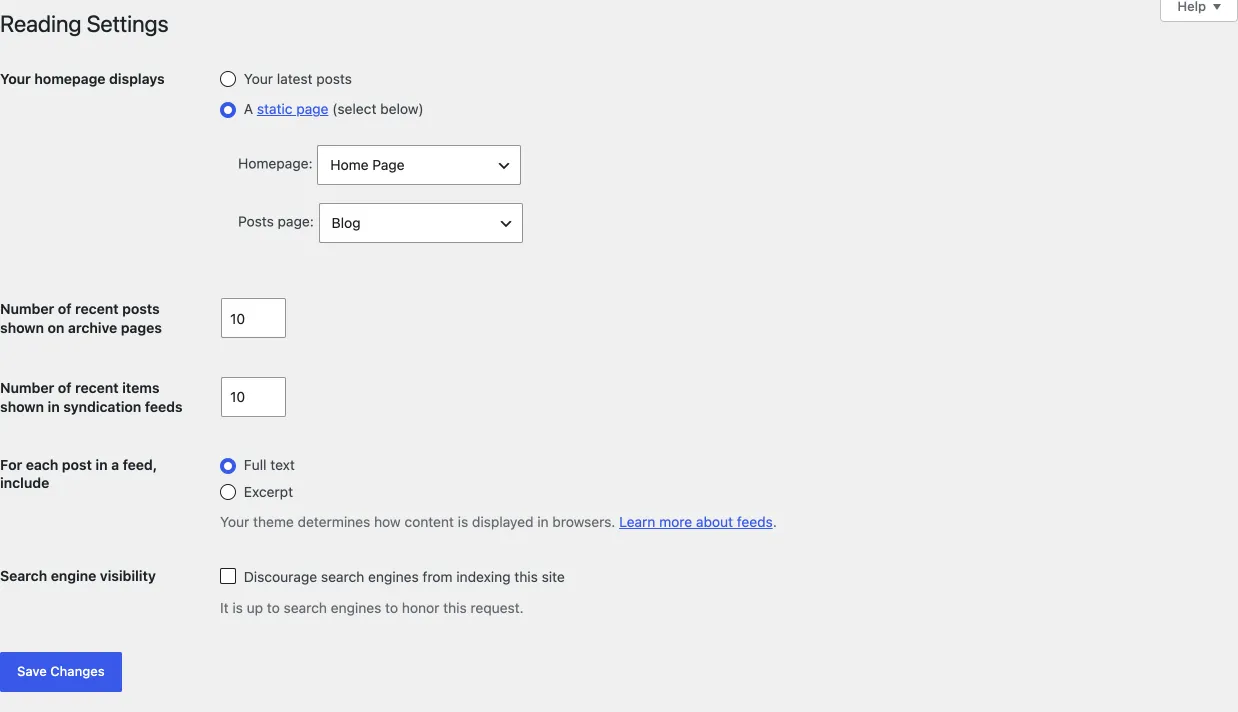
- Go to Settings › Reading (or Appearance › Customize › Homepage Settings).
- Under Your homepage displays, choose A static page.
- In Homepage, choose the page visitors see first when they open your site.
- In Posts page, choose a page for your blog posts. This is optional.
- Click Save Changes.
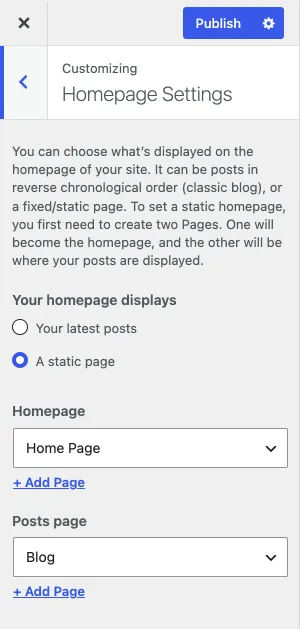
In the Customizer, the Homepage Settings section has the same choices. Click Publish there to save them.
For more detail, see Homepage and blog page.