
Shortcodes
What shortcodes do
Section titled “What shortcodes do”NaturaLife includes many shortcodes for adding ready-made content blocks to any page. You can also add some shortcodes to a Shortcode or Custom HTML widget block in a sidebar, or to any other text area. WordPress processes a shortcode when someone views the page. For example, a contact form shortcode shows a contact form at the place where you inserted it.
Most pages of NaturaLife are built with Elementor and its NaturaLife widgets. Shortcodes are the way to add the same content without a page builder. In Elementor, you can paste a shortcode into the Shortcode widget.
Editor mode
Section titled “Editor mode”In the Classic Editor, the WordPress editor has two modes: Visual (in some languages called WYSIWYG) and Text (in some languages called HTML). To insert a shortcode with the shortcode button of the editor toolbar, switch the editor to Visual mode. In the block editor, use the Shortcodes item in the admin bar and paste the result into a Shortcode block.
The shortcode generator and its button
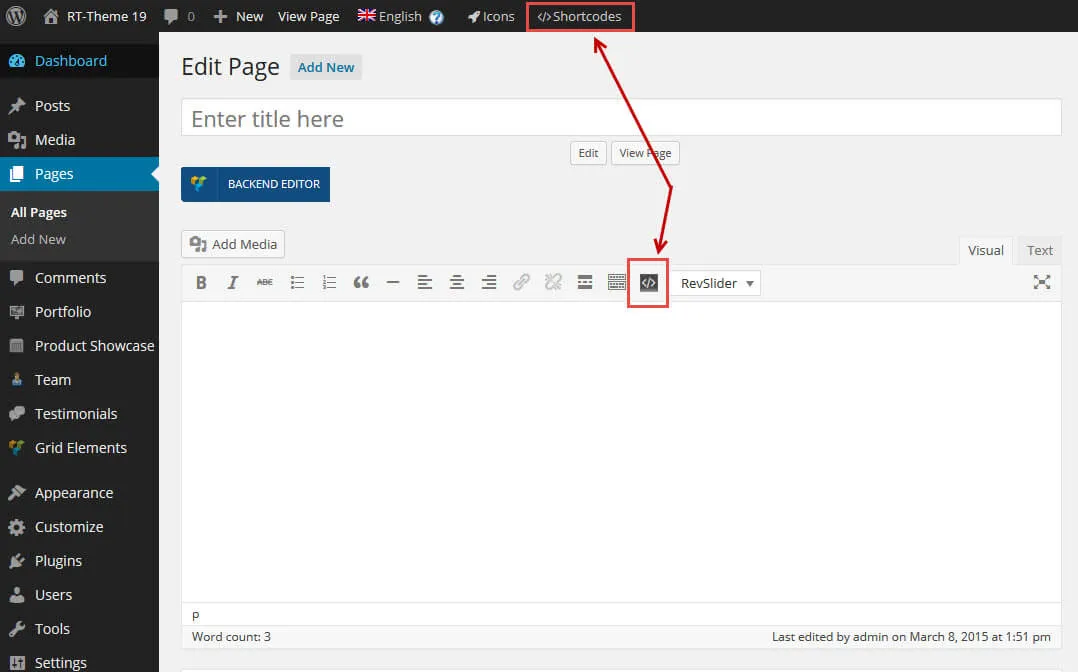
Section titled “The shortcode generator and its button”The shortcode generator is called Theme Shortcodes. There are two ways to open it:
- Click the button that looks like
</>in the toolbar above the editor (Classic Editor, Visual mode). - Click Shortcodes (</> Shortcodes) in the WordPress admin bar.
Either button opens a pop-up window with the list of available shortcodes.
Shortcodes explained
Section titled “Shortcodes explained”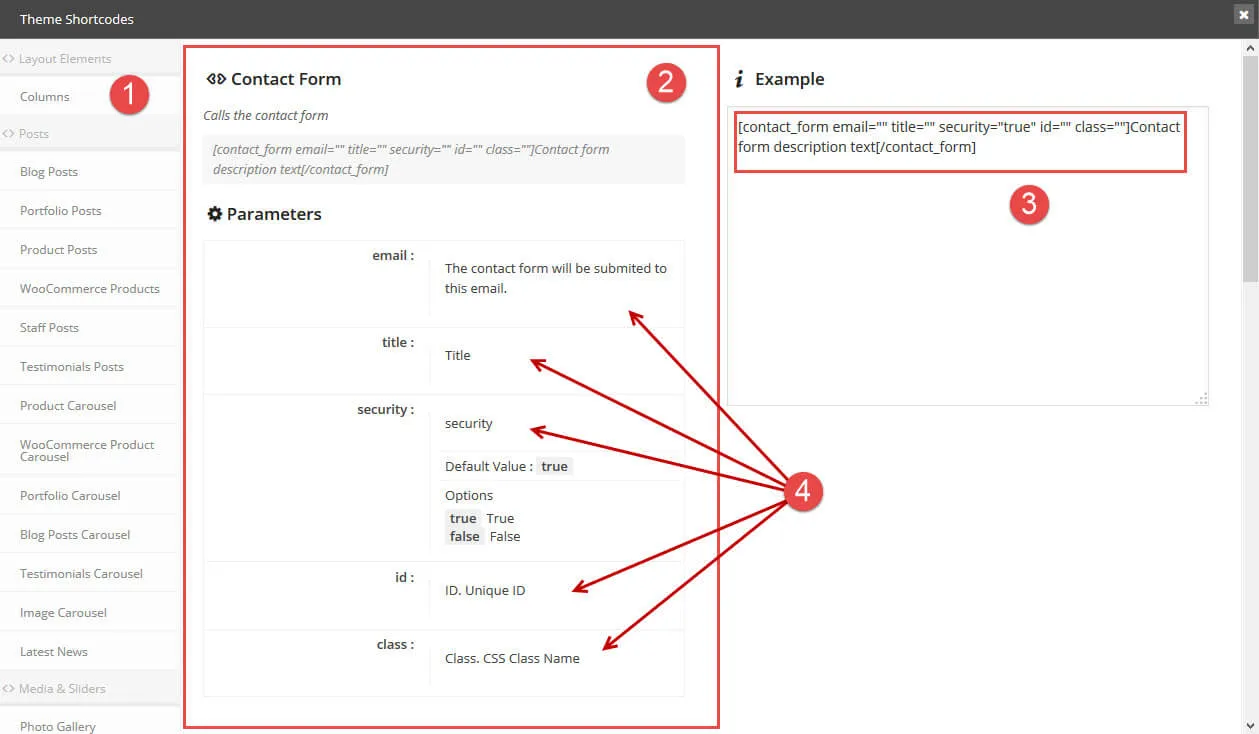
When you open the generator, the window shows:
- The list of available shortcodes, grouped into layout elements, posts, media and sliders, and more.
- In the middle, a description of the selected shortcode and its parameters.
- On the right, an example of the shortcode, ready to use. Change its parameters as explained in the middle section. When you are done, select the shortcode, copy it and paste it into the page content, a text area or a widget.
- Each parameter with its options. This list can be long, depending on the shortcode.
Set the parameters of the example shortcode while the window is still open, before you copy or insert it. After you close the window, paste the shortcode at the place in the content where you want it to appear.